HEIC to JPG
Make a file compatible with the place you need to send it, without losing track of the output.
Convert, compress, resize, and package images with the choices that matter still visible at the end.
Local-first processing · No account for the core workflow · iPhone + iPad
PowerIMG keeps the common path direct, then gives repeat work the control it deserves.
Make a file compatible with the place you need to send it, without losing track of the output.
Choose a real size limit and review the result before creation instead of guessing at a slider.
Keep page order, naming, and delivery explicit when a set becomes a document.
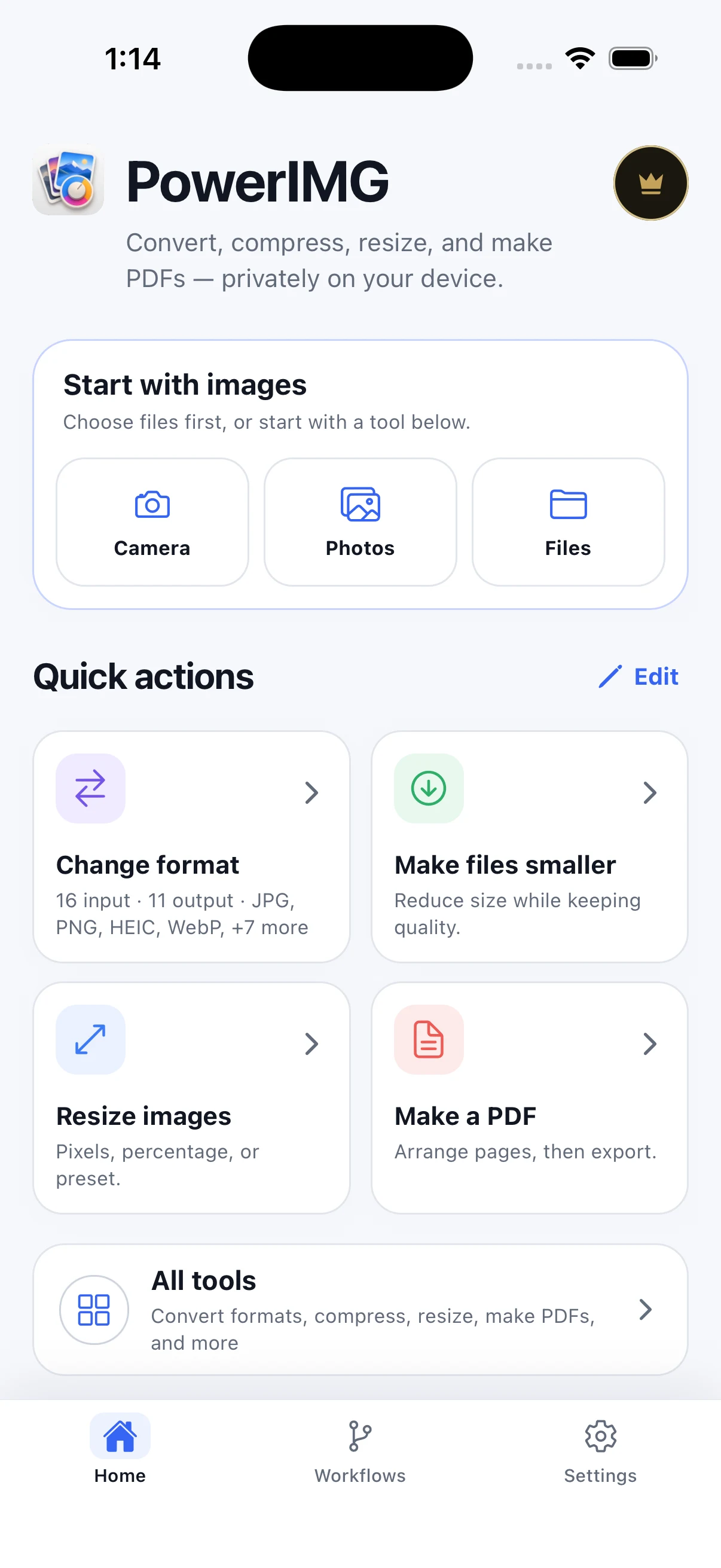
Start from Photos, Files, or Camera and keep the input set visible.
Choose format, dimensions, quality, target size, or document order.
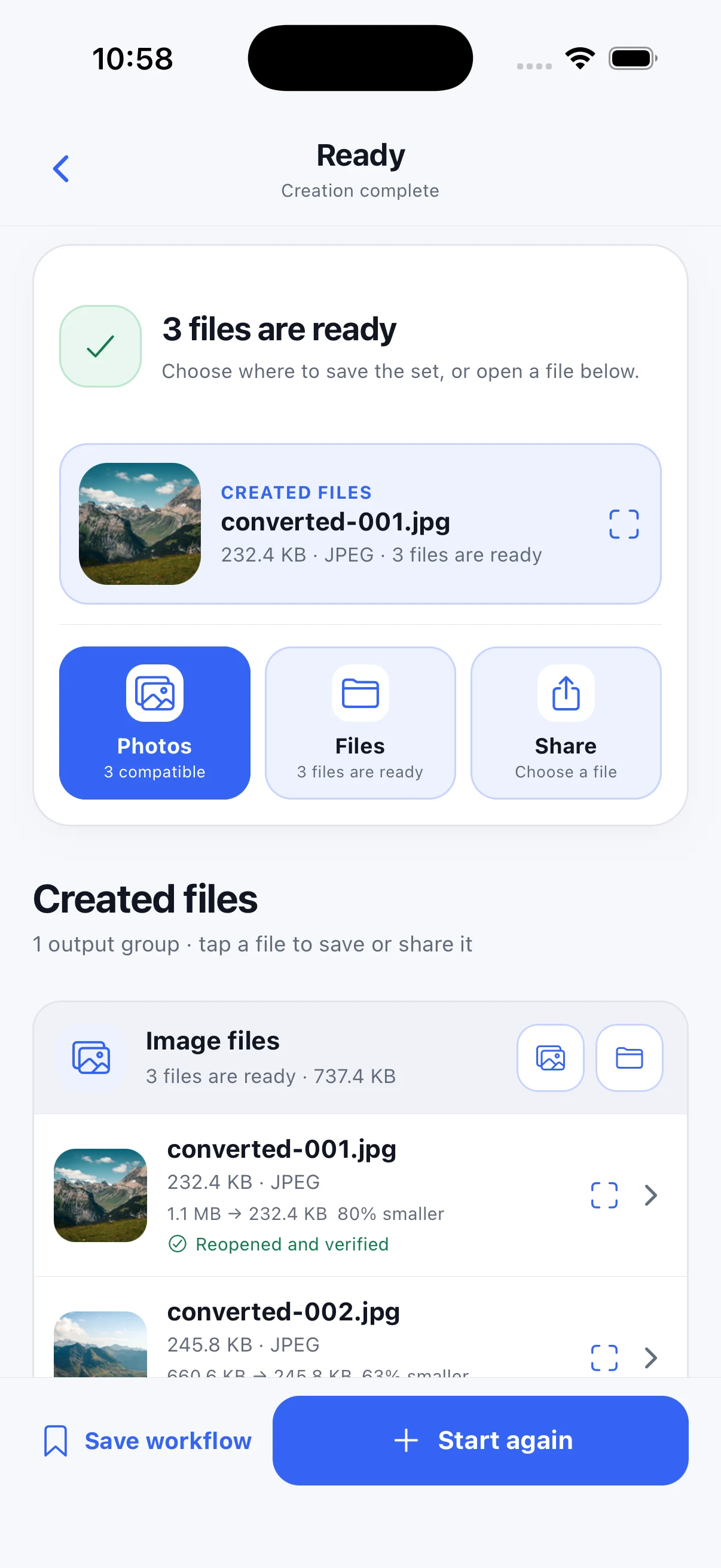
Reopen, save, or share the created files from a result you can inspect.
These are real PowerIMG screens from the current verified creative set. The website explains the job around the UI; it does not replace it with a claim.
Choose a source, then select the job instead of hunting through a generic editor.
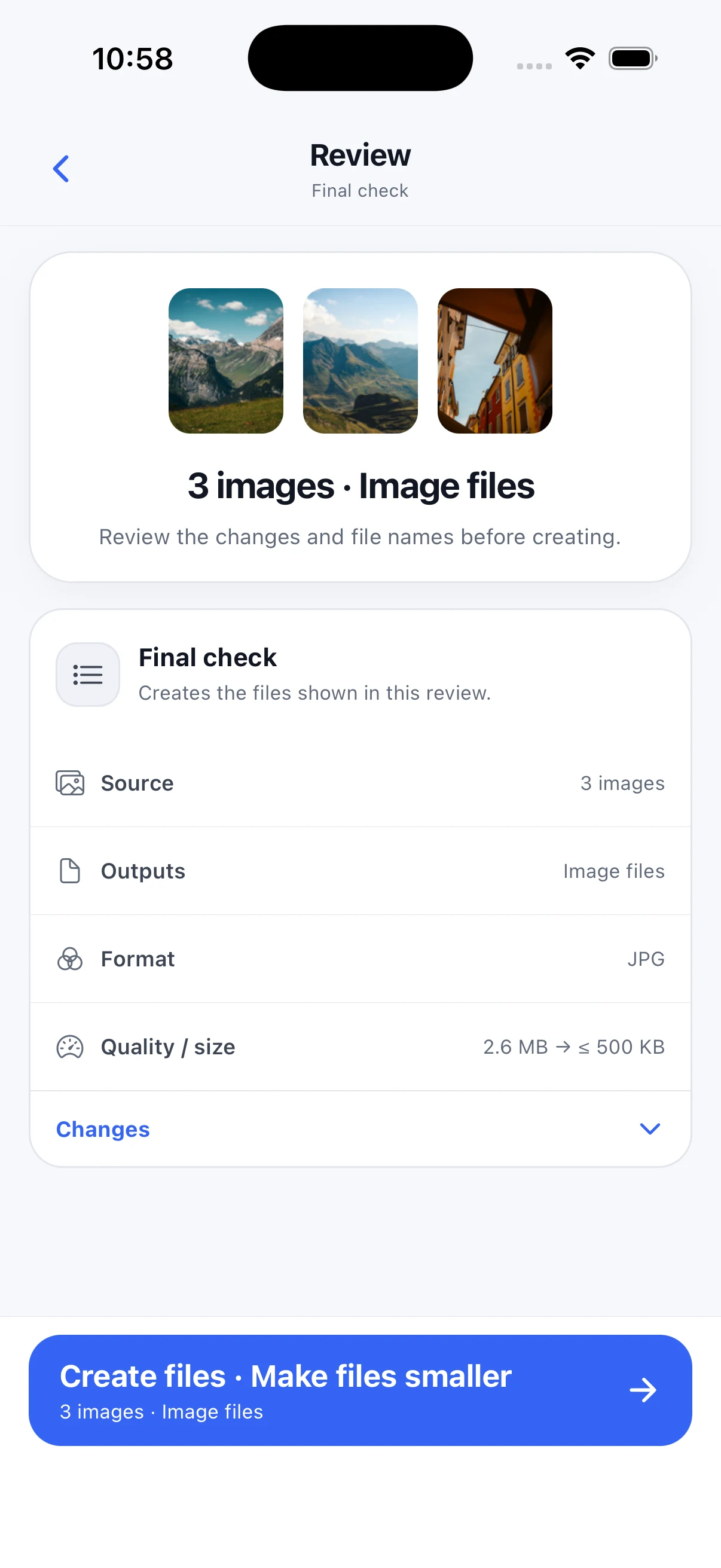
Set a target size and keep the consequence visible before the file is created.
Save to Photos, open Files, or share a verified output.
Each guide starts from a real compatibility or delivery question, shows the relevant workflow, and stays inside the current product boundary.
PowerIMG is a calm workbench for the image tasks that usually interrupt the day.